What is an M3U playlist, and how do you open one?
An M3U playlist is a plain text file that lists media addresses, one per line, so a player knows what to play. In IPTV, it is how your provider hands you its channel list: each entry carries a channel name, a logo, a group and the address of the stream. M3U8 is the same format saved as UTF-8 text. You don’t watch an M3U file directly: you paste the M3U link, or load the file, into an IPTV player, and the player turns it into channel lists, films and series you can browse with a remote. This guide explains what is inside one, how M3U and M3U8 differ, what a get.php link is, and how to open your playlist safely.
Where the M3U format comes from
M3U goes back to the 1990s and the Winamp music player, where it was used to save a list of MP3 files (the name is usually read as “MP3 URL”). A basic M3U file is nothing more than one file path or web address per line. The player reads the lines from top to bottom and plays them in that order.
An extended M3U flavour followed, with comment lines that start with # and describe each entry: a title and a length. That small idea is what IPTV builds on today. M3U never had an official standard of its own, which is why you will see small differences between providers. The closest thing to a formal description is Apple’s HTTP Live Streaming specification, RFC 8216, which reuses the extended M3U syntax for video streams.
What is inside an M3U playlist?
Open an IPTV playlist in a text editor and you will see a header line, then pairs of lines: one line that describes a channel, and one line with its stream address. Here is a short, made-up example:
#EXTM3U url-tvg="https://guide.example.com/epg.xml.gz"
#EXTINF:-1 tvg-id="harbour.news" tvg-name="Harbour News" tvg-logo="https://img.example.com/harbour-news.png" group-title="News",Harbour News HD
http://tv.example.com:8080/live/USERNAME/PASSWORD/1001.ts
#EXTINF:-1 tvg-id="summit.sport1" tvg-name="Summit Sport 1" tvg-logo="https://img.example.com/summit-sport-1.png" group-title="Sport",Summit Sport 1
http://tv.example.com:8080/live/USERNAME/PASSWORD/1002.m3u8
The #EXTM3U header
The first line, #EXTM3U, tells the player this is an extended M3U file. In IPTV playlists it often carries a url-tvg (or x-tvg-url) attribute: the address of an XMLTV file with the TV guide. A player that reads it can fill in what is on now and next without you typing a separate guide link.
#EXTINF lines and their attributes
Each #EXTINF line describes the entry on the line below it. The -1 is the length in seconds, and -1 means “no fixed length”, which is what you want for a live channel. Everything after the last comma is the name shown in your list. In between come attributes in name="value" form:
| Attribute | What it does |
|---|---|
tvg-id | The channel’s ID in the TV guide. This is what links a channel to its programmes. |
tvg-name | The channel’s name as the guide knows it, which can differ from the display name. |
tvg-logo | The address of the channel logo. |
group-title | The category the channel belongs to, such as News or Sport. Players use it to build the category list. |
tvg-chno | The provider’s channel number, so you can type it on the remote. |
Some providers add more, such as catchup attributes for past programmes (see how IPTV catch-up works) or #EXTVLCOPT lines that set options for one stream. When the guide stays empty, a missing or mismatched tvg-id is the usual reason: our guide on fixing an IPTV TV guide that isn’t showing walks through it.
M3U vs M3U8: what is the difference?
The short answer: an .m3u8 file is an M3U file saved as UTF-8 text. UTF-8 can hold any alphabet, so channel names in Arabic, Greek, Hebrew or Chinese come through correctly. Older .m3u files were often saved in a Western-only character set, which turned non-Latin names into garbled symbols. For an IPTV channel list, .m3u and .m3u8 mean the same thing, and a good player opens both.
The confusion comes from a second, quite different use of the .m3u8 extension.
M3U8 as an IPTV channel list
This is the file or link your provider gives you. It lists hundreds or thousands of channels, films and episodes, each with its own stream address. It is a menu: it says what you can watch, not how the video is delivered.
M3U8 as an HLS stream manifest
HLS (HTTP Live Streaming) also uses .m3u8 files, but for one stream only. An HLS manifest lists the quality levels of a single channel, or the short video segments the player downloads one after another, each a few seconds long. In the example above, the second channel’s address ends in .m3u8: that is an HLS stream inside your channel list, a playlist inside a playlist. You don’t add an HLS manifest as a playlist. Your player opens it for you when you choose that channel.
Whether your channels play as HLS or as a continuous TS stream can matter for smoothness. Telyqro lets you choose TS or HLS for live channels, and our guide to fixing IPTV buffering explains when to switch.
M3U links vs M3U files
Providers deliver the same playlist in one of two ways:
- An M3U link (a web address). Your player downloads the list from it and can download it again later, so new channels and fixed addresses reach you without doing anything. This is the most common form, and the better one.
- An M3U file you download once. It never changes on its own: when the provider updates the list, you need the new file. Files are handy when a provider only offers a download, or when you have edited a list yourself.
What is a get.php link?
Many M3U links look like this: http://tv.example.com:8080/get.php?username=USERNAME&password=PASSWORD&type=m3u_plus&output=ts. A link with get.php, a username and a password comes from an Xtream Codes style server. The server builds the M3U list on request, but the same server also offers a richer login with proper categories, series with seasons, and the provider’s TV guide.
Telyqro recognises these links. When you add one as an M3U URL in the app, Telyqro reads the server address, username and password inside it and asks whether to use Xtream mode instead, for faster loading and series support. Choose Use Xtream unless your provider told you otherwise. If you keep it as M3U, Telyqro still uses the details in the link to fetch the provider’s TV guide. The full comparison is in Xtream Codes vs M3U.
How to open an M3U playlist in Telyqro
Telyqro is a player: it includes no channels, and plays the playlist from the service you subscribe to. First download Telyqro for your TV, phone or computer. Then add your playlist in the app, or on telyqro.com, whichever is easier to type on.
In the app
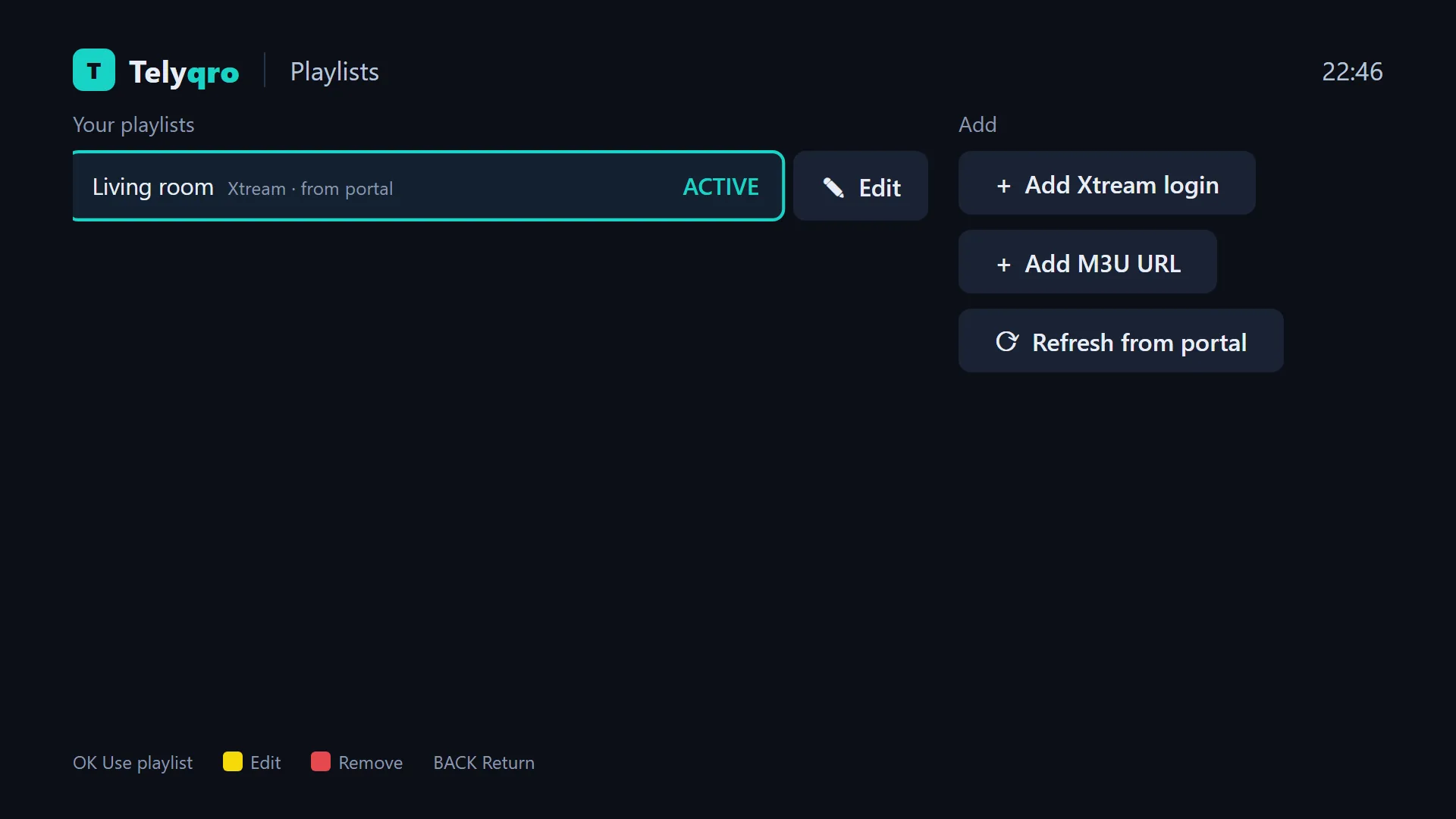
- Open the Playlists screen.
- Choose to add an M3U URL (if your provider gave you an Xtream login instead, add that).
- Paste or type the M3U link, give the playlist a name if you like, and save.
- If the link is a get.php link, Telyqro offers Xtream mode. Then the import runs in the background, and your channels, films and series appear.
To add a TV guide link of your own, or a custom User-Agent, edit the playlist after adding it: the EPG URL (optional) and User-Agent (optional) fields are there.
On telyqro.com (and for M3U files)
Typing a long link with a TV remote is slow. On a phone or computer, go to telyqro.com/activate and sign in with the Device ID and Device Key the app shows. On a TV with no playlists yet, the Playlists screen shows a QR code that opens this page on your phone. Under Playlists, choose M3U link to paste a link, or M3U file to upload a file of up to 300 MB. You can also enter a TV guide link if your playlist doesn’t name one. The playlist arrives on the device by itself.
What about very large playlists?
Full IPTV playlists, with films and series included, can run to hundreds of thousands of entries and tens of megabytes. A weak player freezes while it reads them, or gives up. Telyqro streams the import instead of loading the whole file at once: 300,000+ entries take about 3.6 seconds on a desktop computer, and imports run in the background so the screen never freezes. On a TV stick it takes longer, but the lists stay smooth at 300,000 rows, even with a remote.
Refreshes are light too. When your provider’s list hasn’t changed, Telyqro skips the import, and a failed update keeps the lists you already have. If your channels play on a computer, see our guide to watching IPTV on a Windows PC.
Keep your M3U link private
Look again at the example addresses: the username and password are written into the link, and often into every stream address in the file. Anyone who has your M3U link can use your subscription. Many providers limit how many devices can watch at once, so a leaked link can lock you out, and providers may close accounts they see shared.
On our side, M3U links and provider passwords you sync through telyqro.com are stored encrypted, uploaded files sit in private storage, and Telyqro hides provider passwords in its logs and on-screen errors.
Questions
Is M3U the same as M3U8?
For an IPTV channel list, yes: M3U8 is an M3U file saved as UTF-8, so names in any alphabet display correctly. The extension is also used for HLS stream manifests, which describe a single stream rather than a list of channels.
How do I open an M3U file on my TV?
Install an IPTV player on the TV or streaming stick, then add the playlist. With Telyqro, you can upload the file on telyqro.com after signing in with your Device ID and Device Key, and it arrives on the TV without any typing.
Is an M3U playlist legal?
The format itself is just a text file and is perfectly legal. What matters is the content it points to: use playlists from a service you are entitled to watch.
Why does my M3U link not load?
The most common reasons are a typo in the link, an ended subscription, or a provider that blocks some apps. Open the link in a browser on the same network: if it doesn’t download a list there, ask your provider. Some providers need a specific User-Agent, which you can set per playlist in Telyqro.
Every feature on every device, no card needed. Add your playlist and start watching in about a minute.
Keep reading
Xtream Codes vs M3U: which login should you use?
Xtream Codes or an M3U link? How the two IPTV logins differ for the TV guide, films, series and catch-up, and which one to pick in your player.
7 min readIPTV TV guide (EPG) not showing? How to fix it
Why the IPTV TV guide is empty, wrong or out of date, and how to fix it: XMLTV links, channel IDs, time offsets and refreshes, step by step.
8 min readHow to watch IPTV on a Windows PC
Watch your IPTV playlist on a Windows 10 or 11 PC with a proper player: live TV with the guide, films and series, keyboard shortcuts. Linux too.
7 min read